

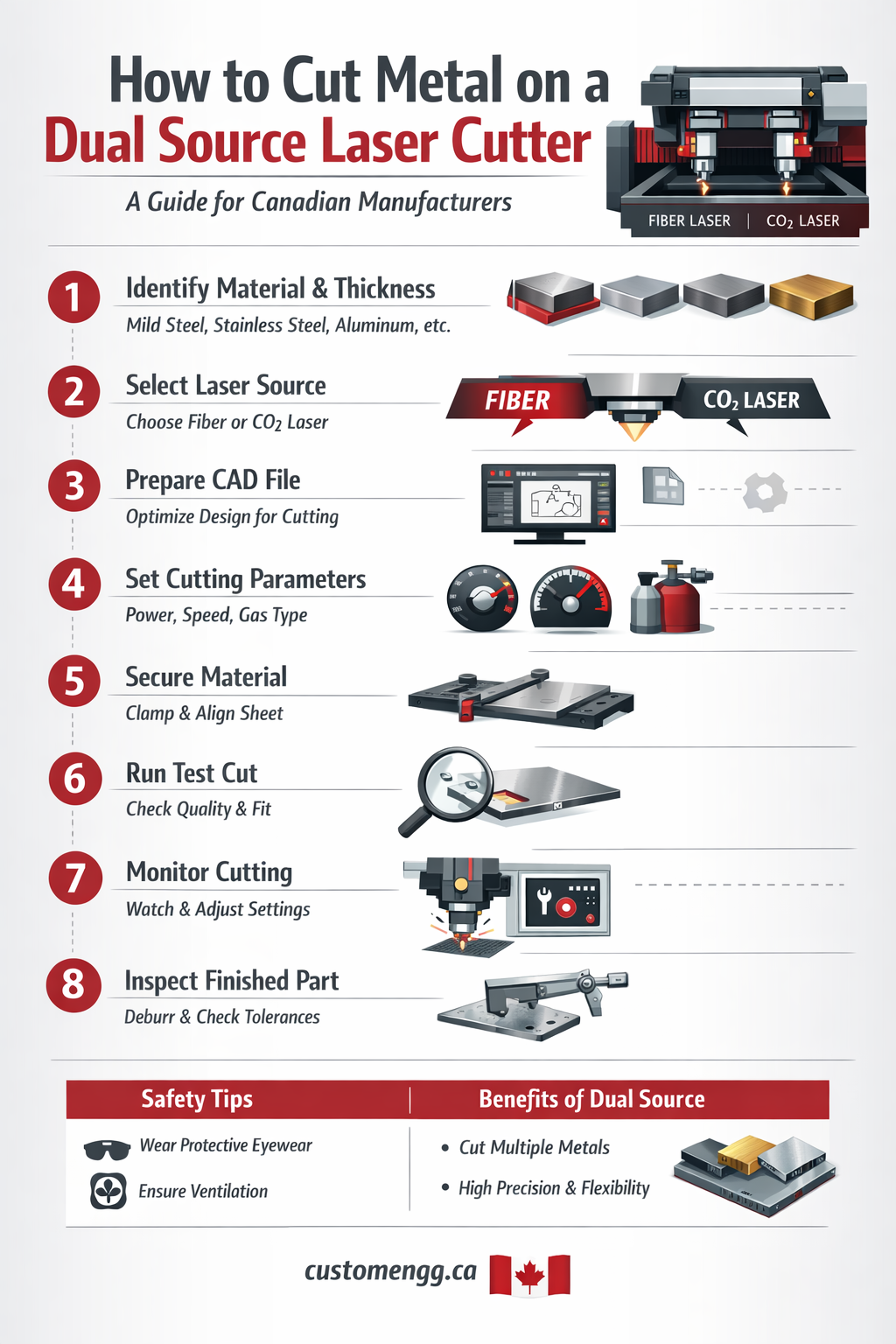
How to Cut Metal on a Dual Source Laser Cutter
A Practical Guide for Canadian Manufacturing & Fabrication Industries
Metal fabrication in Canada has evolved rapidly over the last decade. From automotive suppliers in Ontario to structural fabricators across Western Canada, manufacturers are increasingly investing in dual source laser cutters to improve speed, precision, and production flexibility.
If you're operating — or planning to invest in — a dual source laser system, understanding the correct process is critical for efficiency, safety, and long-term machine performance.
This guide explains how to cut metal on a dual source laser cutter properly, with practical insights relevant to Canadian fabrication environments.
What Is a Dual Source Laser Cutter?
A dual source laser cutter is a system equipped with two laser sources — typically:
-
Fiber + CO₂ laser
or -
Two fiber sources optimized for different thicknesses
This setup allows operators to:
-
Switch between materials efficiently
-
Optimize cutting for thin vs thick metals
-
Increase production flexibility
In Ontario’s competitive manufacturing market (especially in regions like Cambridge, Kitchener-Waterloo, and the GTA), dual-source systems are increasingly preferred for multi-industry job shops.
Step-by-Step Process: Cutting Metal on a Dual Source Laser Cutter
1️⃣ Identify Material Type & Thickness
Before powering up:
-
Mild steel
-
Stainless steel
-
Aluminum
-
Galvanized steel
-
Copper or brass
Each material reacts differently to laser energy.
Why it matters:
Fiber lasers perform exceptionally well on reflective metals like aluminum and copper, while CO₂ lasers may perform better on thicker non-ferrous materials depending on setup.
2️⃣ Select the Appropriate Laser Source
Most dual source machines allow switching via control panel.
General guideline:
| Material Thickness | Recommended Source |
|---|---|
| 0.5mm – 6mm sheet metal | Fiber laser |
| 6mm – 20mm steel | High-power fiber |
| Specialty or coated materials | Depends on absorption rate |
Always follow manufacturer settings + internal SOP.
3️⃣ Prepare the CAD File (Critical Step)
Precision cutting starts in design.
-
Use clean vector files (DXF / DWG)
-
Remove duplicate lines
-
Ensure proper kerf compensation
-
Optimize nesting for sheet efficiency
In Canadian fabrication shops, material cost efficiency is key — especially with fluctuating steel prices. Proper nesting reduces waste.
4️⃣ Set Cutting Parameters
Key parameters include:
-
Laser power (Wattage)
-
Cutting speed
-
Focus position
-
Assist gas type (Nitrogen / Oxygen / Air)
-
Gas pressure
Common Canadian shop setup:
-
Nitrogen → Clean edge finish (no oxidation)
-
Oxygen → Faster cuts on thicker steel
-
Air → Cost-effective for thinner sheets
5️⃣ Secure Material Properly
-
Ensure flat sheet alignment
-
Remove warping
-
Clean surface contamination
Cold climate storage in Canada can cause condensation — moisture on metal surfaces must be removed before cutting.
6️⃣ Perform Test Cut
Before running full production:
-
Cut small sample section
-
Inspect edge quality
-
Check burr formation
-
Measure tolerance
Industrial clients (automotive & OEM suppliers) often require tight tolerances — sometimes ±0.1mm or tighter.
7️⃣ Monitor the Cutting Process
Modern dual source systems include:
-
Auto focus tracking
-
Real-time sensors
-
Cut interruption detection
Operators should monitor:
-
Spark pattern
-
Noise irregularities
-
Gas flow consistency
8️⃣ Post-Cutting Inspection
After cutting:
-
Deburr if necessary
-
Inspect heat-affected zone (HAZ)
-
Check dimensional accuracy
-
Confirm finish quality
Canadian industrial standards may require documentation depending on sector (construction, structural, or regulated industries).
Safety Considerations in Canadian Fabrication Facilities
Laser cutting systems must comply with:
-
CSA safety requirements
-
Provincial workplace safety standards (e.g., Ontario WSIB guidelines)
Operators should:
-
Wear certified eye protection
-
Maintain ventilation systems
-
Regularly service optics
Advantages of Dual Source Laser Cutting
✔ Higher production flexibility
✔ Better energy efficiency
✔ Reduced downtime
✔ Ability to process multiple metals
✔ Improved edge quality
For fabrication companies serving multiple industries across Canada, dual-source systems allow faster job turnaround and greater competitive advantage.
Common Mistakes to Avoid
❌ Incorrect assist gas selection
❌ Improper focus calibration
❌ Ignoring reflective metal precautions
❌ Poor nesting design
❌ Skipping test cuts
When Should a Business Use a Dual Source Laser System?
A dual source laser cutter is ideal if your operation:
-
Processes multiple metal types daily
-
Serves automotive or industrial clients
-
Requires fast turnaround
-
Handles custom fabrication jobs
For Canadian fabrication businesses, investing in or partnering with a facility equipped with dual-source laser technology can significantly improve production quality and efficiency.
Final Thoughts
Cutting metal on a dual source laser cutter requires:
-
Proper material assessment
-
Correct source selection
-
Accurate parameter setup
-
Strong safety compliance
-
Skilled operation
When executed correctly, it delivers precision, efficiency, and scalability — critical in Canada’s competitive manufacturing sector.
If you're looking for professional laser cutting services in Ontario, working with an experienced fabrication partner ensures optimal results, compliance, and production reliability.